For wedding film studios
Staff every wedding from your own roster
You book more weddings than you can film yourself, and you already have the people: second shooters and leads you trust. CamCrewz gives that list a system. Each job goes to the right person, at a price worked out from their own rates and travel, with the contract signed before the wedding.
If this sounds like your season
The way most studios staff a wedding works, until it's twenty weddings at once.
The group text
You post a date. Whoever answers first gets it, not whoever fits it best, and everyone else gets a "sorry, it's taken."
Pay from memory
Every job is a new conversation about rate and travel, and your budget is easy to guess from the first number you say.
Contracts by email
A PDF goes out, someone forgets to sign it, and you find out the week of the wedding.
Holds nobody tracks
You asked three people to keep a Saturday open for an inquiry. Which of them is still holding it?
Travel guesswork
A wedding two hours away needs a hotel night. Did the price include it? And meals?
Who's shot there before
Someone filmed at that barn with that planner last year. Nobody remembers who.
How it works for your studio
-
1. Set it up once
Your costs, your contracts, your rules
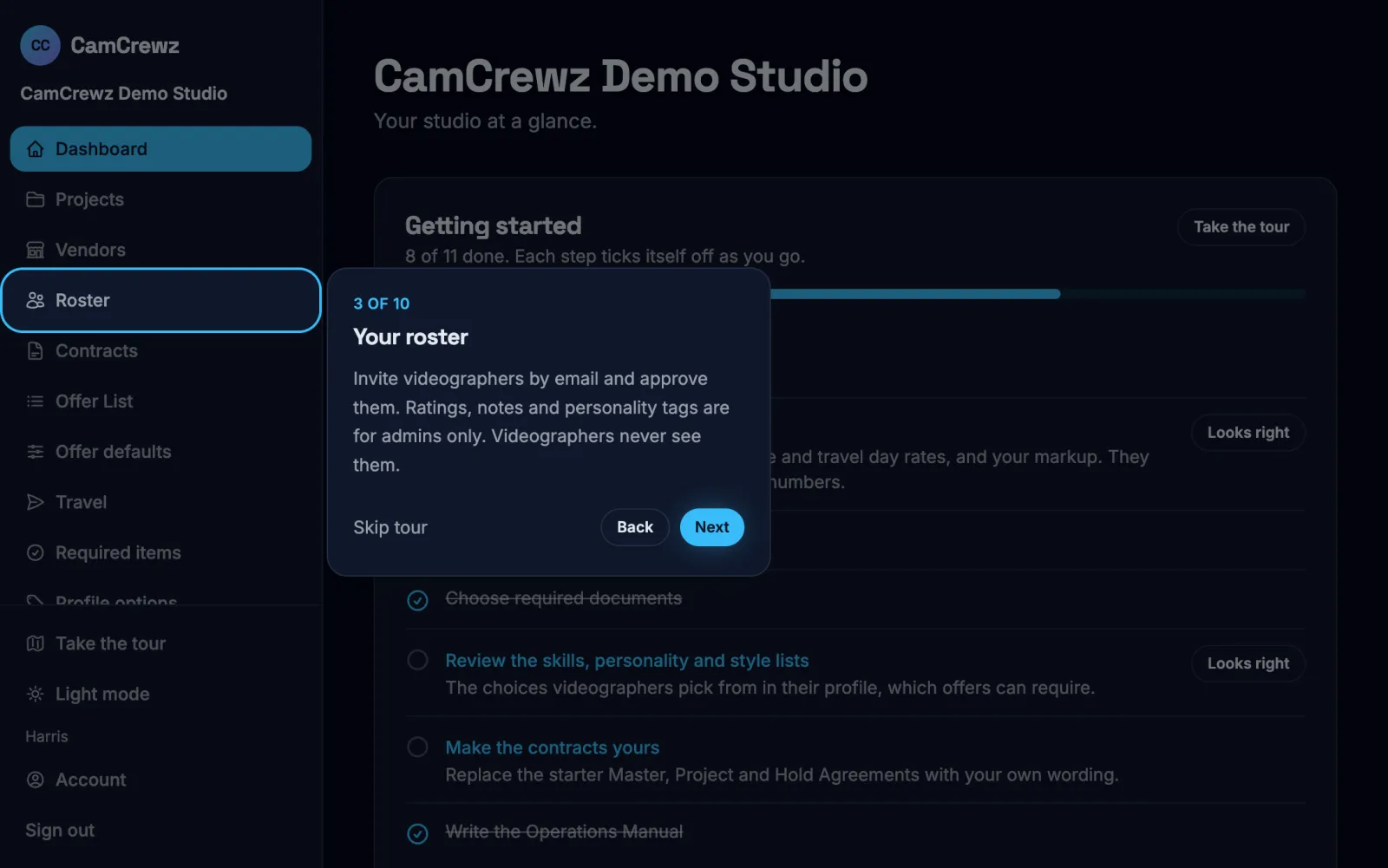
Add the cities your crews leave from and what travel costs you. Set the starting rates, response time and gear for each role you hire. Choose the documents everyone must upload, like a W-9 or an insurance certificate. Paste in your own Master, Project and Hold Agreements and your Operations Manual. A checklist on your dashboard walks you through it in order.
-
2. Invite your roster
Everyone's rates and availability in one place
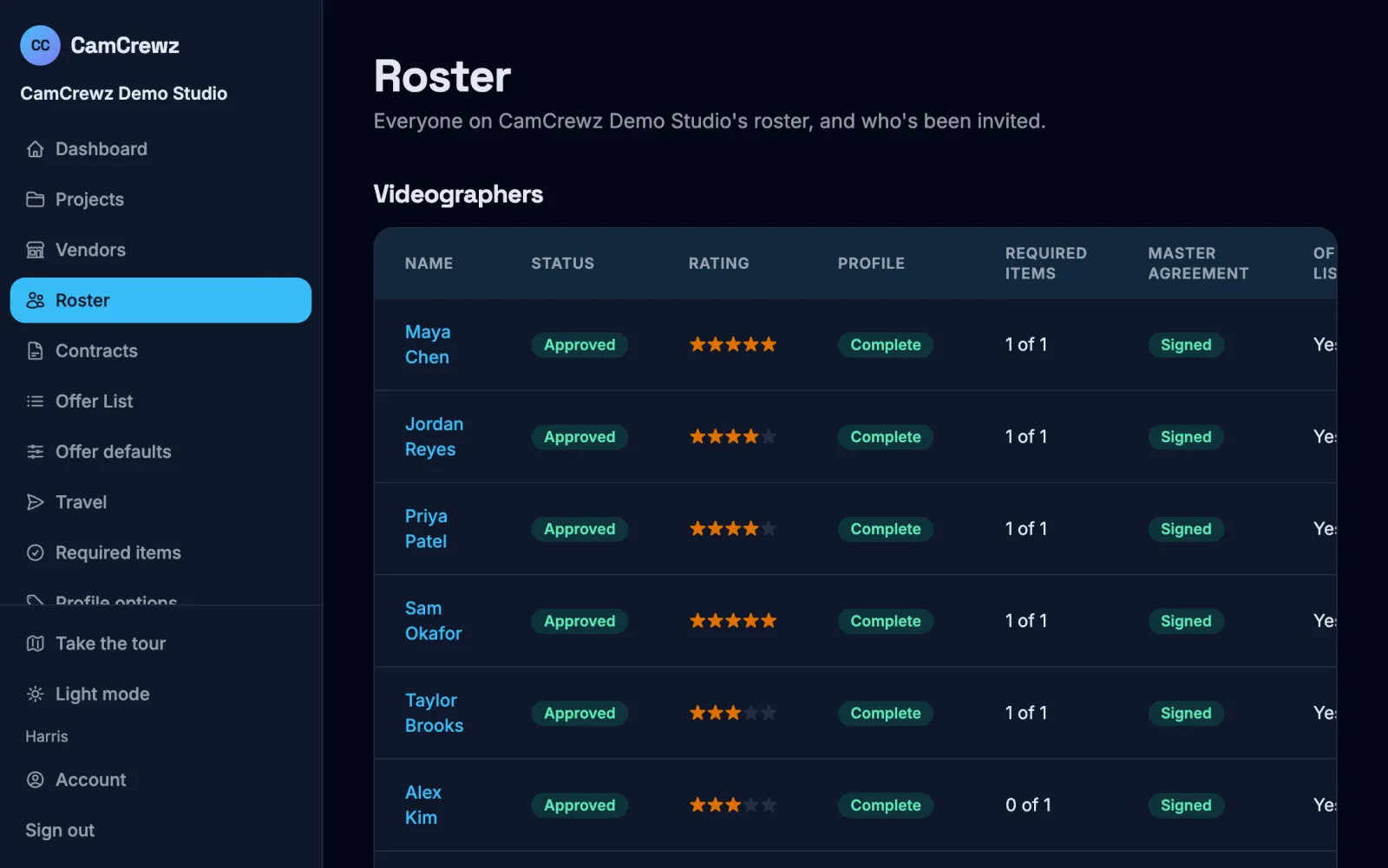
Each videographer gets an email and builds a profile: the roles they take, their hourly and travel day rates, whether they charge mileage, how far they'll travel, their ceremony experience, skills like dual-system audio, their gear and the dates they can't work. You approve them, and only approved people get offers.
Add a private 1 to 5 rating, notes and personality tags. Videographers never see them: the server holds them back, not just the screen.
-
3. Plan the wedding
Every event, venue and vendor
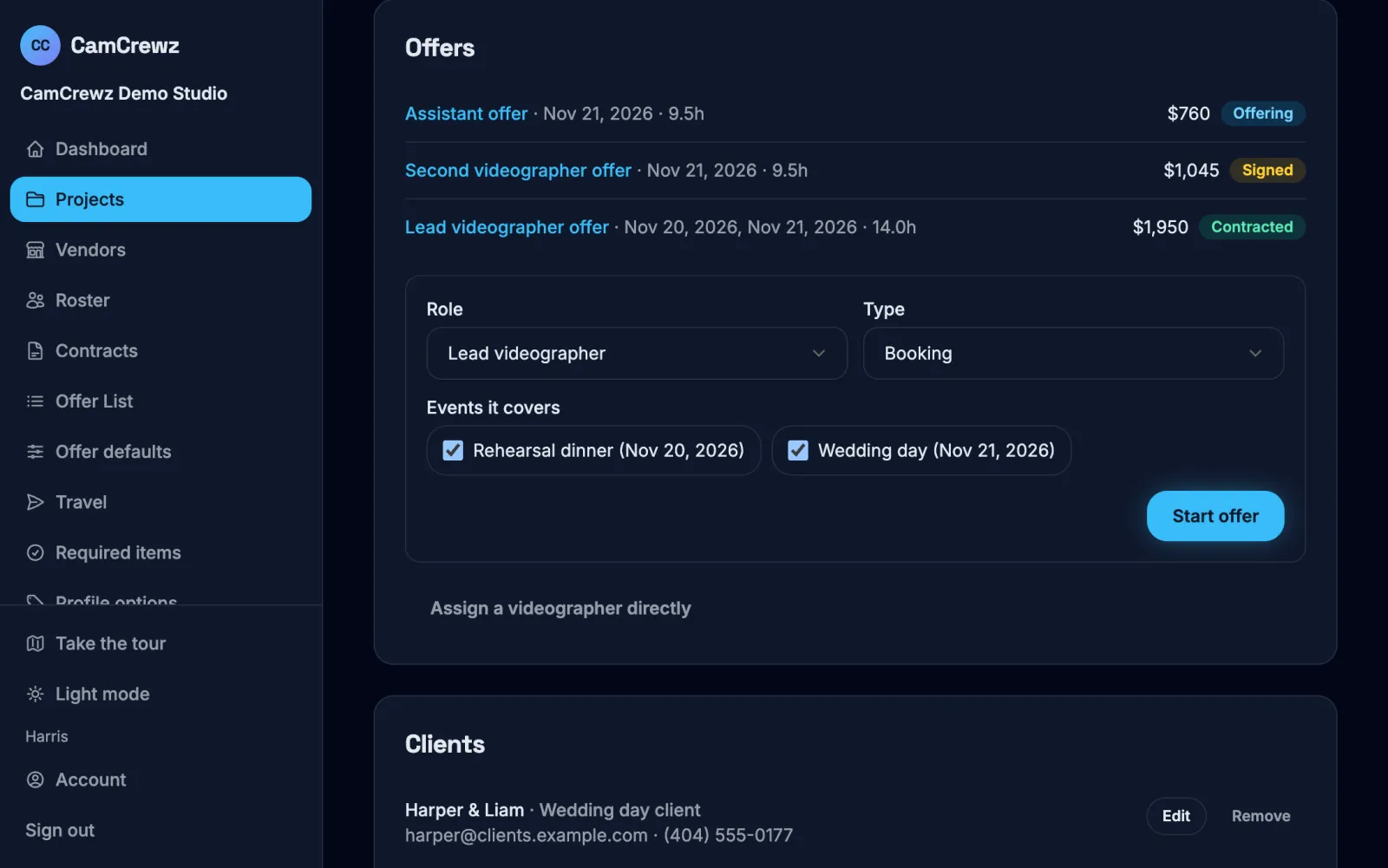
Add the rehearsal dinner, the wedding day and the next-day brunch, each with its venue, times, timeline, shot list and contacts, plus the clients, planner and photographer. Each offer is one role for one or more of those events: a lead for Friday and Saturday, a second for Saturday only, eight hours.
-
4. Send the offer
To the right person, one at a time
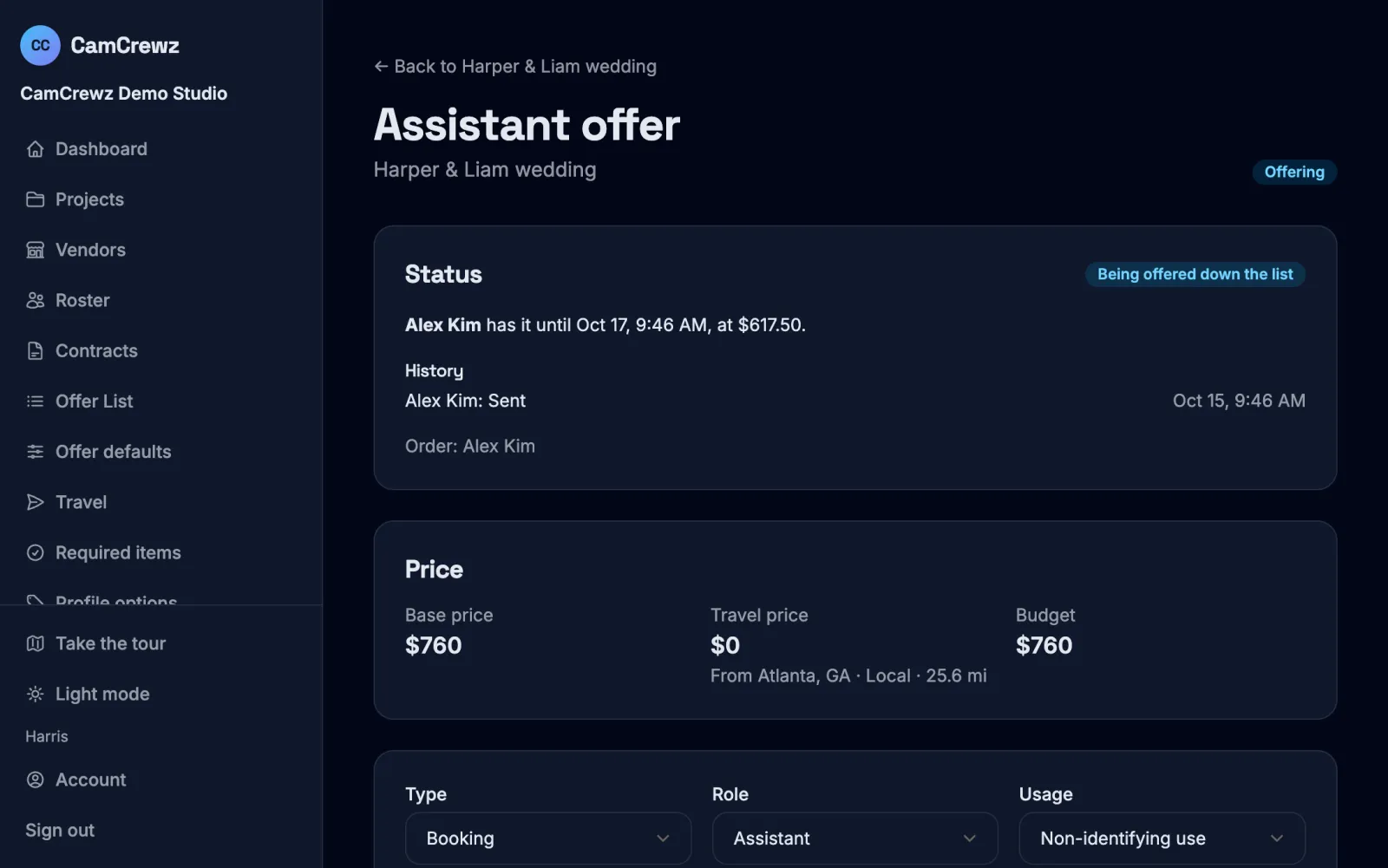
CamCrewz works out the budget: the hours at your rate plus travel from your nearest hub. It keeps only the people on your Offer List who take the role, meet its rating, have the skills and ceremony experience it needs, are free that day, and fit the budget and their own travel radius.
You see each person's cost and how often they've worked with this venue, planner and photographer. Reorder if you like, then send. It goes to one person with a timer, 24 hours unless you choose otherwise, and a reminder two hours before it runs out. If nobody on the list takes it, it opens on a job board, where the first person who qualifies and signs gets it.
-
5. Sign, countersign, shoot
The contract signed from their phone
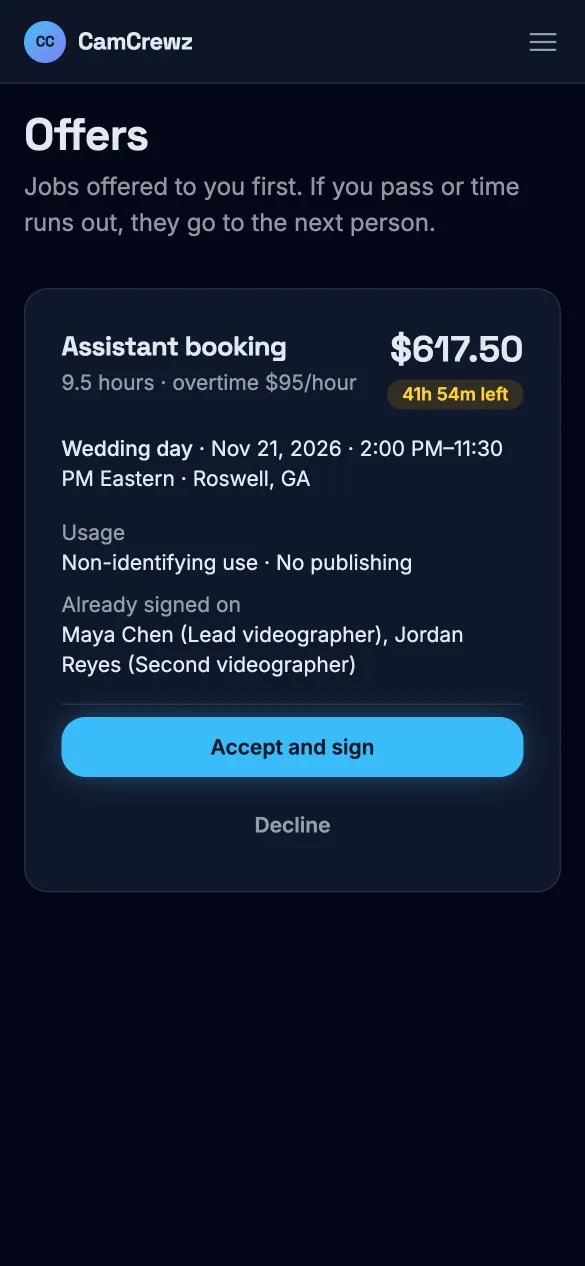
They accept and sign the Project Agreement in one step, with the job's dates, price and usage terms filled in. You countersign within 14 days, or it goes back out. Then they get the full brief and a chat with the rest of the crew, and you get a PDF of exactly what was signed.
Fair prices, without negotiating every date
Each videographer's price is their own cost: the job's hours at their hourly rate, plus travel from their home, at their own travel day rate, with mileage only if they charge it. If that's more than your budget, the job doesn't go to them first. If it's less, they're offered their own number, not yours.
They only ever see their own price: never your budget, and never anyone else's. Once a price is offered, it's locked, so a rate change next week doesn't touch it. See a worked example.
Holds, for the inquiry that hasn't booked
Send a hold to keep someone's dates while the couple decides. It has an expiry date you set. They can drop it for any reason except to take a competing job, which first gives you 48 hours to book them.
When the couple books, turn the hold into a booking for the same person. If it's only the held dates on the same or better terms, they take it. If nothing comes of it, the hold just expires.
Usage rights that match your client agreement
Each wedding carries the usage level you agreed with the couple: no use, non-identifying use, or full use. Each offer can be stricter, never looser, and sets where they may post, whether posts need your approval, and an embargo of six months after the wedding. All of it is filled into the agreement they sign.
Changes after signing, on the record
Edit the brief and the crew is told. Added hours are paid at the overtime rate, a move to a venue farther away adds the travel difference, and a dropped event comes off. Every change is logged, the signed contract is never edited, and both of you always see what the booking owes.
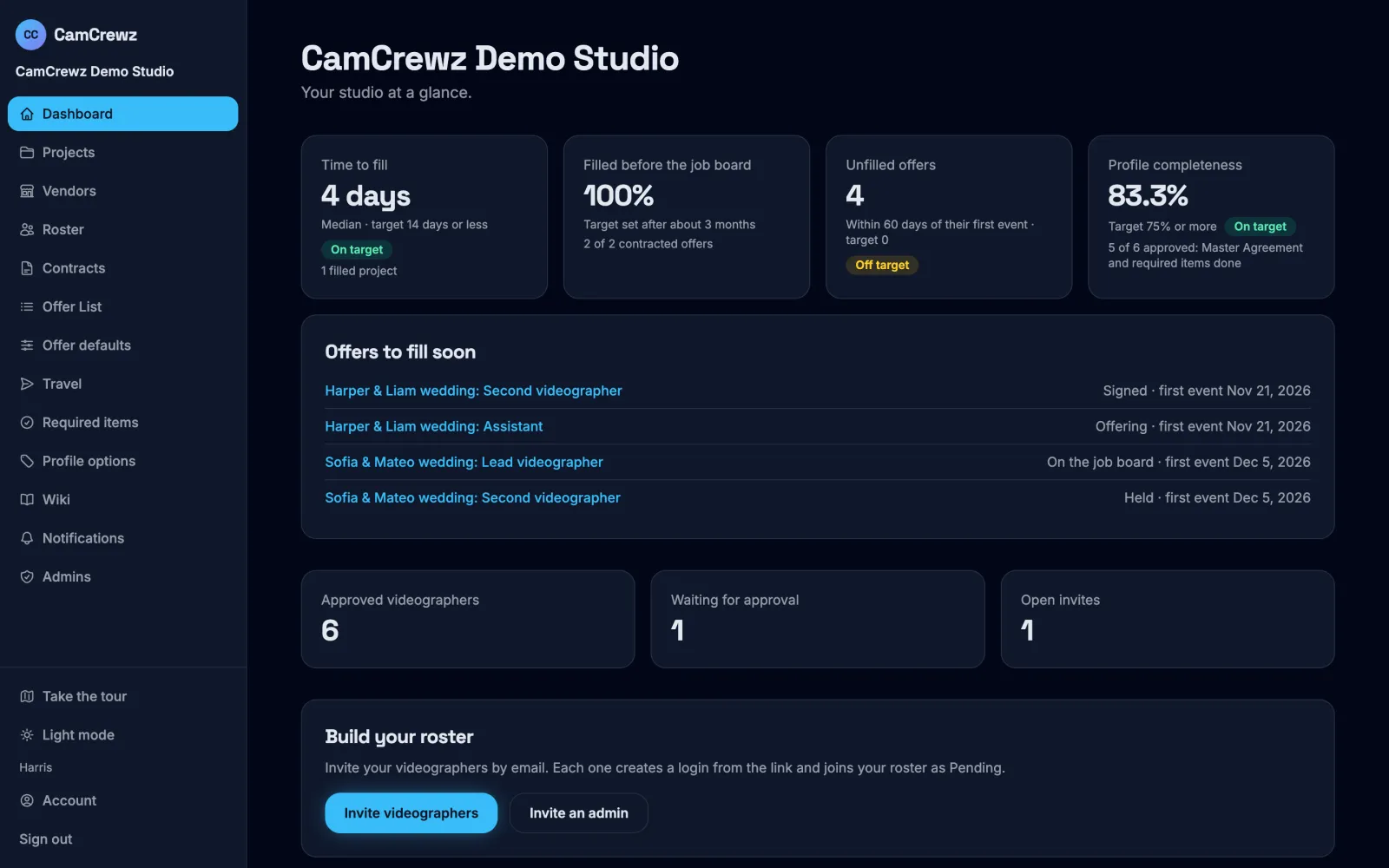
Four numbers that tell you it's working
Worked out from your own offers, on your dashboard.
Time to fill
From a wedding's first offer to every offer on it being contracted.
Filled before the job board
The share of offers taken by someone on your list before they open to everyone.
Unfilled offers
Offers not contracted 60 days before their first event. The target is zero.
Profile completeness
Approved videographers with the Master Agreement signed and every required item done.
What CamCrewz doesn't do
- It doesn't pay anyone. You pay your crew the way you do now. CamCrewz keeps the record of what each booking owes, so the number is never a surprise.
- It isn't your client system. Client inquiries, quotes and contracts stay where they are. CamCrewz is for your crew.
- It doesn't book travel. Videographers handle their own, and it's bundled into their price.
Questions from studios
Can we use our own contracts?
Yes. You start with placeholder Master, Project and Hold Agreements and replace them with your own wording. Each job's details fill in automatically, and every signed contract keeps the exact text that was signed, as a PDF both sides can download.
Can we add weddings we booked before CamCrewz?
Yes. Assign a videographer to an already-booked or past wedding directly and attach the contract they signed outside the app. It counts toward their history with your venues, planners and photographers.
Can a videographer on our roster also work for other studios?
Yes. One login can belong to several studios, and each studio only ever sees its own work with them. Your notes, ratings and prices never reach another studio.
Do our videographers pay anything?
No. Studios pay for CamCrewz. Videographers never do.
How do we get started?
CamCrewz is invite-only while it launches with Easton Film Co. Get in touch through the contact page and tell us about your studio.
Built with a working wedding film studio
CamCrewz is built by Easton Film Co. and Nimble Labs together, so it staffs a wedding the way a real studio does. It's invite-only while it launches with Easton. Run a studio? Tell us about it.